Product
One execution surface. Clear visibility into what's moving, what's stuck, and who owns it — without ticket gymnastics or dashboards that need constant feeding. Reports are there when you want them; the board answers “are we on track?” first.
Available on Self-Hosted · Cloud
Sprint planning
Most sprint kickoffs start with the same question: "Wait, what are we actually trying to ship this sprint?" Spryn makes that question unnecessary.
Sprint clarity
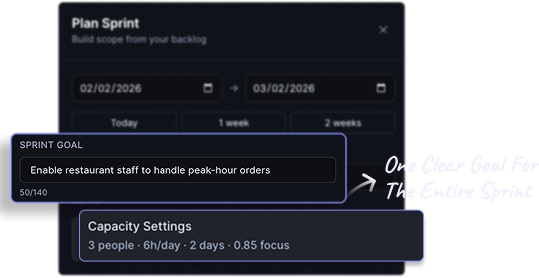
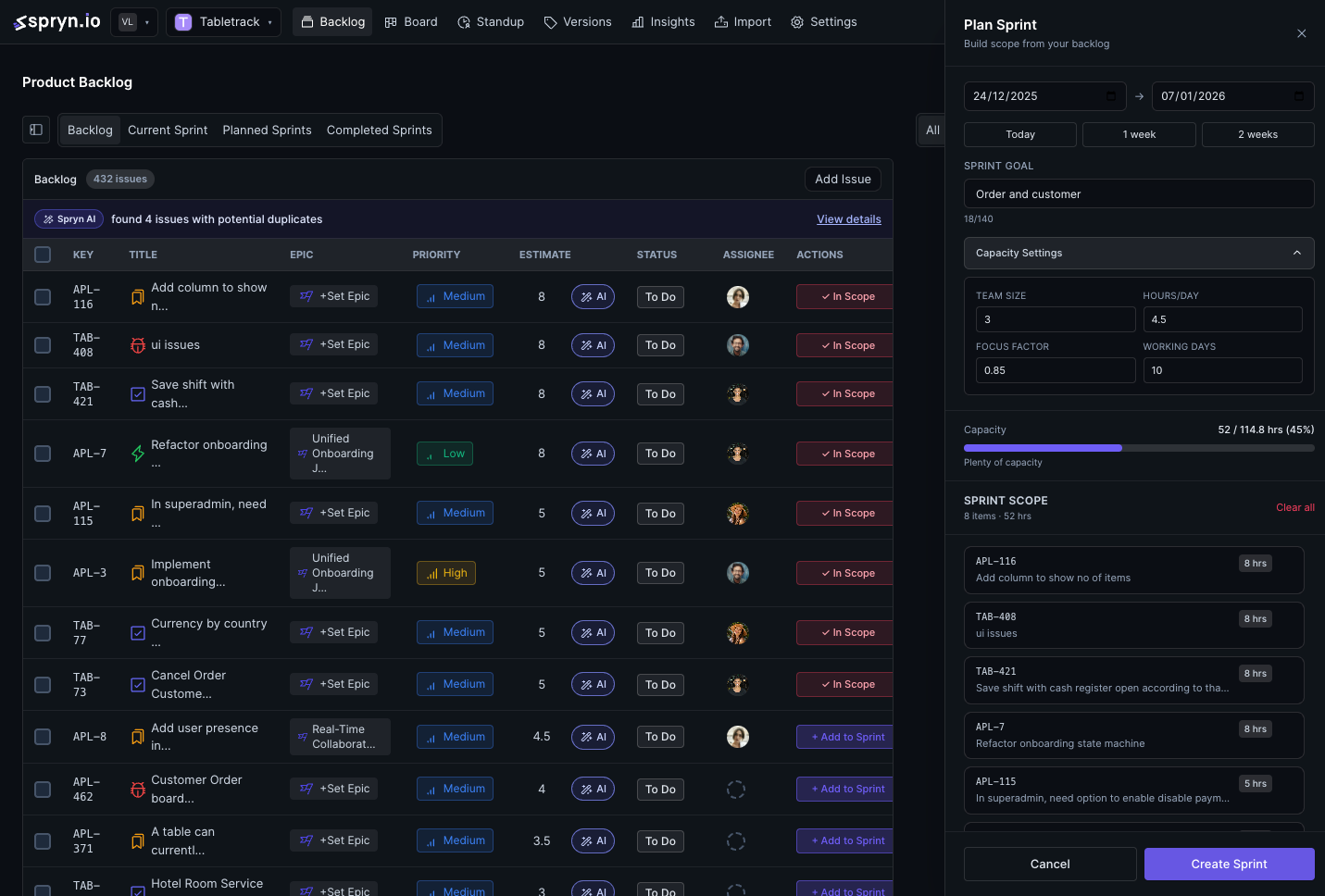
Spryn asks teams to define a single, clear intent before any work is added. One line. What is this sprint trying to deliver?
That intent stays visible throughout the sprint — so trade-off conversations start from shared context, not from memory.
Available on Self-Hosted · Cloud
Realistic planning
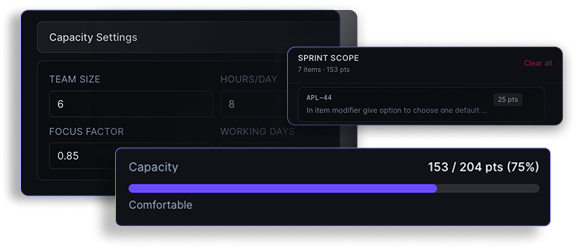
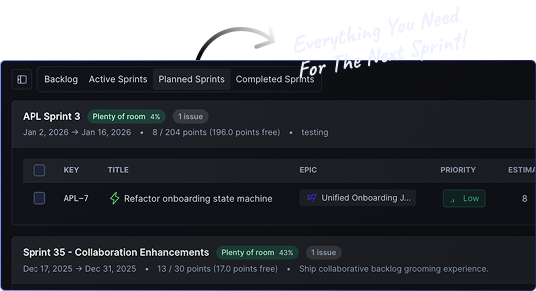
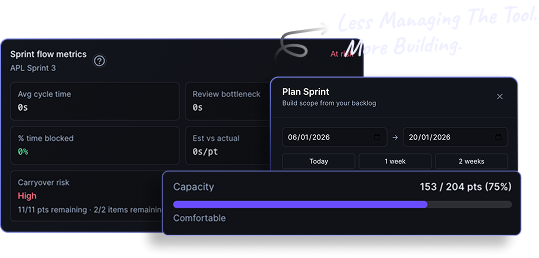
Spryn keeps capacity and scope visible side by side as you build the sprint. When the sprint is getting too full, you see it before you commit — not after the first standup.
That leads to fewer overcommitted sprints, less carry-over, and more predictable delivery sprint over sprint.
Available on Self-Hosted · Cloud
The board
Column-based boards with status transitions, configurable columns, and WIP limits. Planning stays short; the board keeps ownership and flow visible.
Planning assistance
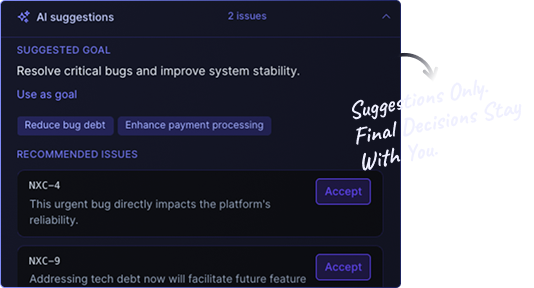
Spryn can suggest a sensible first draft based on your backlog and team capacity. That draft isn't a decision — it's a starting point that cuts the blank-page problem.
Final decisions stay with you. The AI saves the setup time, not the judgment.
Available on Self-Hosted · Cloud
Backlog focus
Spryn scopes the backlog view to what's relevant for the next sprint. No scrolling through 400 items from six months ago. No custom views to build and maintain.
Work is grouped around the upcoming sprint — so conversations focus on priorities, not archaeology.
Available on Self-Hosted · Cloud
Board & flow
Whether you run Scrum sprints or continuous Kanban, Spryn gives you a column-based board with configurable columns, status transitions, and WIP limits — so flow stays honest.
Available on Self-Hosted · Cloud
Timeline
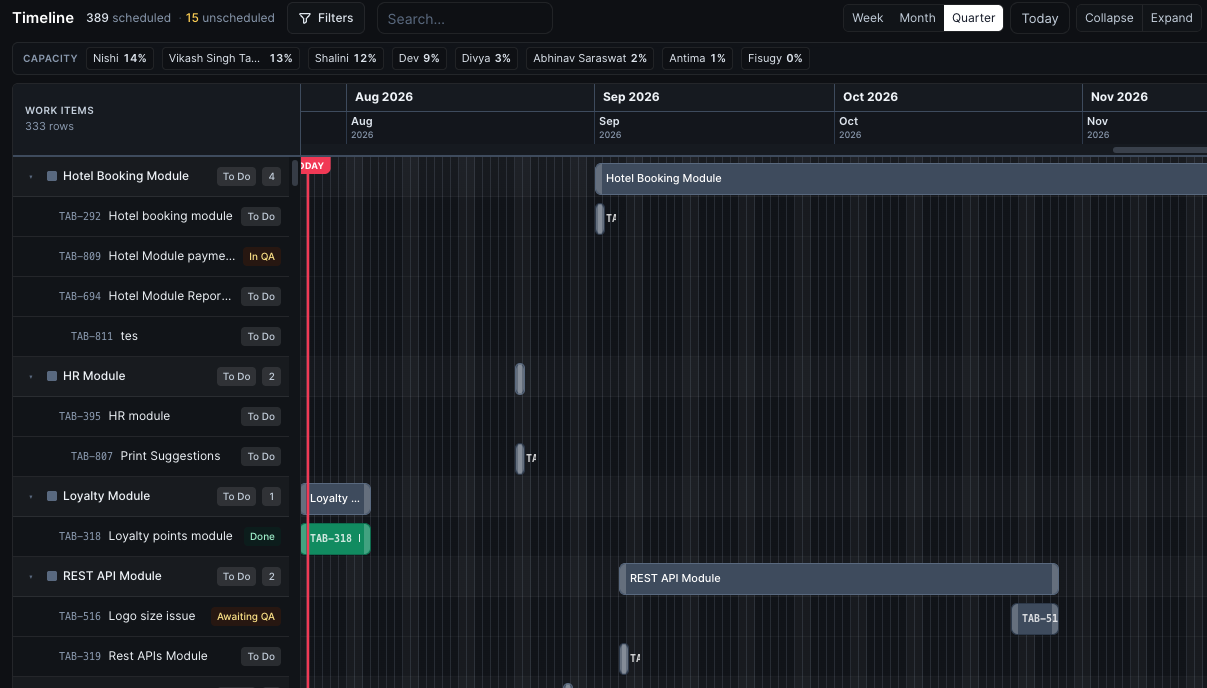
When you need dates — not just columns — the Timeline view maps modules and tasks across week, month, or quarter. Team capacity sits on the same row so overload is visible before you commit dates.
Available on Self-Hosted · Cloud
When the sprint slips
Mid-sprint surprises happen. Spryn forecasts where you’re headed and can draft a recovery plan you preview, apply, notify on, or undo — so the team responds instead of reacts.
Sprint forecast
Capacity-aware forecasts surface slip risk while there’s still time to cut scope or rebalance — not at the demo.
Recovery plans
When the sprint is off track, Spryn drafts a recovery plan. Preview it, apply it, notify the team, or undo — judgment stays human.
Standups
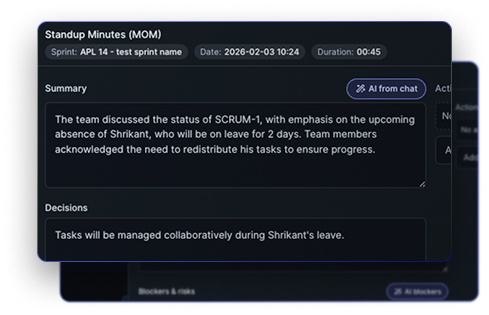
Run daily standup sessions with chat and action items. AI prepares the summary, flags blockers, and extracts actions before the meeting starts — so the room unblocks instead of status-hunting.
Available on Self-Hosted · Cloud
Execution signals
Most teams discover sprint failure at the demo. Spryn surfaces the signals on day three — when there's still time to respond.
Progress awareness
Spryn shows sprint progress on the board first — no status meeting required. Anyone — team member or lead — can see the state of the sprint in one view, any time. Deeper reports (burndown, velocity, cycle time) are available when you need them.
Available on Self-Hosted · Cloud
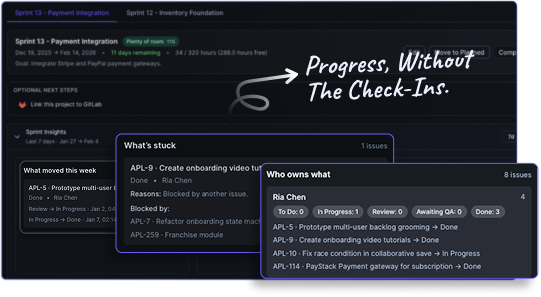
Risk surfacing
Spryn monitors each task throughout the sprint. When something hasn't moved in longer than expected, when a task is marked blocked, or when scope is growing beyond capacity — Spryn surfaces a signal on the board.
Signals stay quiet on the board by default — no noisy interruptions. Optional in-app, web push, and Slack notifications are available when your team wants them.
Available on Self-Hosted · Cloud
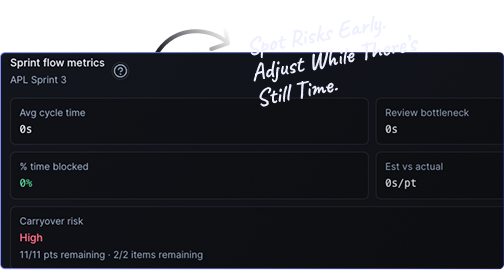
A subtle indicator appears on a task when it shows signs of risk — stale for too long, blocked, or pushing the sprint over capacity. It's a quiet on-board flag first — not a flood of alerts — that says: this needs a conversation before it becomes a problem.
The goal is to make the invisible visible — early enough that the team can decide what to do, rather than just react to what happened.
Available on Self-Hosted · Cloud
See execution signals in your own sprint.
Free to start. Running in 10 minutes. No credit card required.
Opinionated defaults
Spryn ships with sensible defaults so you can plan on day one — without setup debates or process archaeology every time a new engineer joins. Customize workflows, columns, and fields when you need to; you never have to start there.
Available on Self-Hosted · Cloud
Length, structure, and flow come pre-decided. You can change them — but you don't have to think about them first.
The planning view shows what's relevant now, not everything ever created. No custom views to build or maintain.
Sprint status is always visible on the board from day one. Reports are optional — not a prerequisite for knowing where you stand.
Intent, scope, and progress are described the same way from sprint one. New joiners are oriented in minutes, not days.
Extensions and plugins let complexity creep back in. We ship what matters and leave the rest out.
Columns for day-to-day flow; Timeline for dates and capacity. Same work, the view that fits the conversation.
Who it's built for
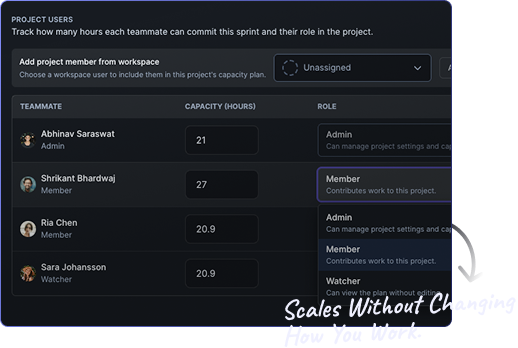
Spryn works for small, cross-functional teams where everyone contributes to planning and execution. No enterprise assumptions. No approval chains. No role-based access to basic visibility.
It's built for the realities of modern product teams: fast decision cycles, overlapping responsibilities, and shared ownership of what ships.
Available on Self-Hosted · Cloud
FAQ
No. AI is off by default with zero outbound calls until you add your own OpenAI, Anthropic, or Google Gemini key. Sprint drafting, standup summaries, and recovery plans all work the same way — the AI prepares a draft, a person decides.
No. When a sprint is off track, Spryn drafts a recovery plan you preview first. From there you apply it, notify the team, or undo — nothing is applied without a person choosing to apply it.
Yes. GitHub and GitLab connect for repos, issues, and PRs/MRs; Slack connects via OAuth for per-project alert routing. Jira, Asana, ClickUp, and Linear connect for one-time backlog import, not ongoing sync.
Yes. Spryn ships with sensible sprint, board, and field defaults so you can plan on day one, and you can change columns, status transitions, WIP limits, and fields whenever your workflow needs it — customization is available, not required upfront.
The board is the day-to-day surface — columns, status, and WIP limits for Scrum or Kanban flow. Timeline is for scheduling: it maps modules and tasks across week, month, or quarter zoom with team capacity on the same row, so you see overload before you commit dates.
Takes 10 minutes to set up. No credit card required.
Not sure about pricing? See the plans →