Spryn Cloud
Spryn is built for small, serious engineering teams that care about delivery more than process. AI drafts your first sprint from backlog and capacity. Standups and retros prep themselves. You spend time shipping — not building slides, chasing status, or configuring boards.
Built to replace planning poker, not lengthen it
AI drafts your sprint from backlog and capacity before the meeting starts — the team reviews and locks it instead of estimating from a blank board.
What goes away
Not vague "less process" — these are the recurring tasks teams stop doing by hand once Spryn is in the loop.
Sprint planning
Spryn suggests a first sprint draft from your backlog and team capacity. You edit and lock — you don't start from zero in an empty column.
Before standup
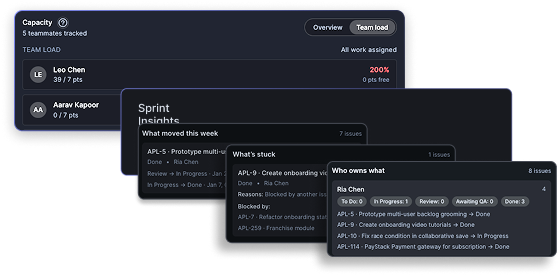
A live summary of who's moving, who's blocked, and what's at risk is ready before the meeting. Standup becomes confirmation, not discovery.
Before sprint lock
Spryn scans selected work and flags overlapping tickets before you commit — so you're not untangling duplicates mid-sprint.
Mid-sprint
The board answers that against sprint intent. Reports (burndown, velocity, cycle time) are there when you want depth — not required to know where you stand.
Sprint close
What shipped, what slipped, and why surfaces automatically when the sprint ends. No one owns "retro prep" anymore.
Setup
Import backlog, connect GitHub or GitLab, plan your first sprint in about 10 minutes. Defaults work out of the box; customize workflows and fields later if you need to.
How it works
In under a minute, see how a sprint goes from intent to done — without juggling boards, fields, reports, or process theatre.
Start with a single, sharp question for the sprint instead of a backlog dump. Define the sprint in one line so everyone knows what matters.
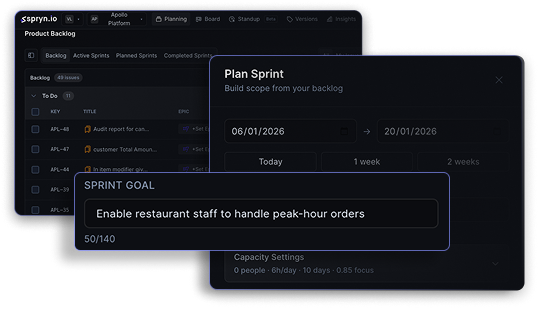
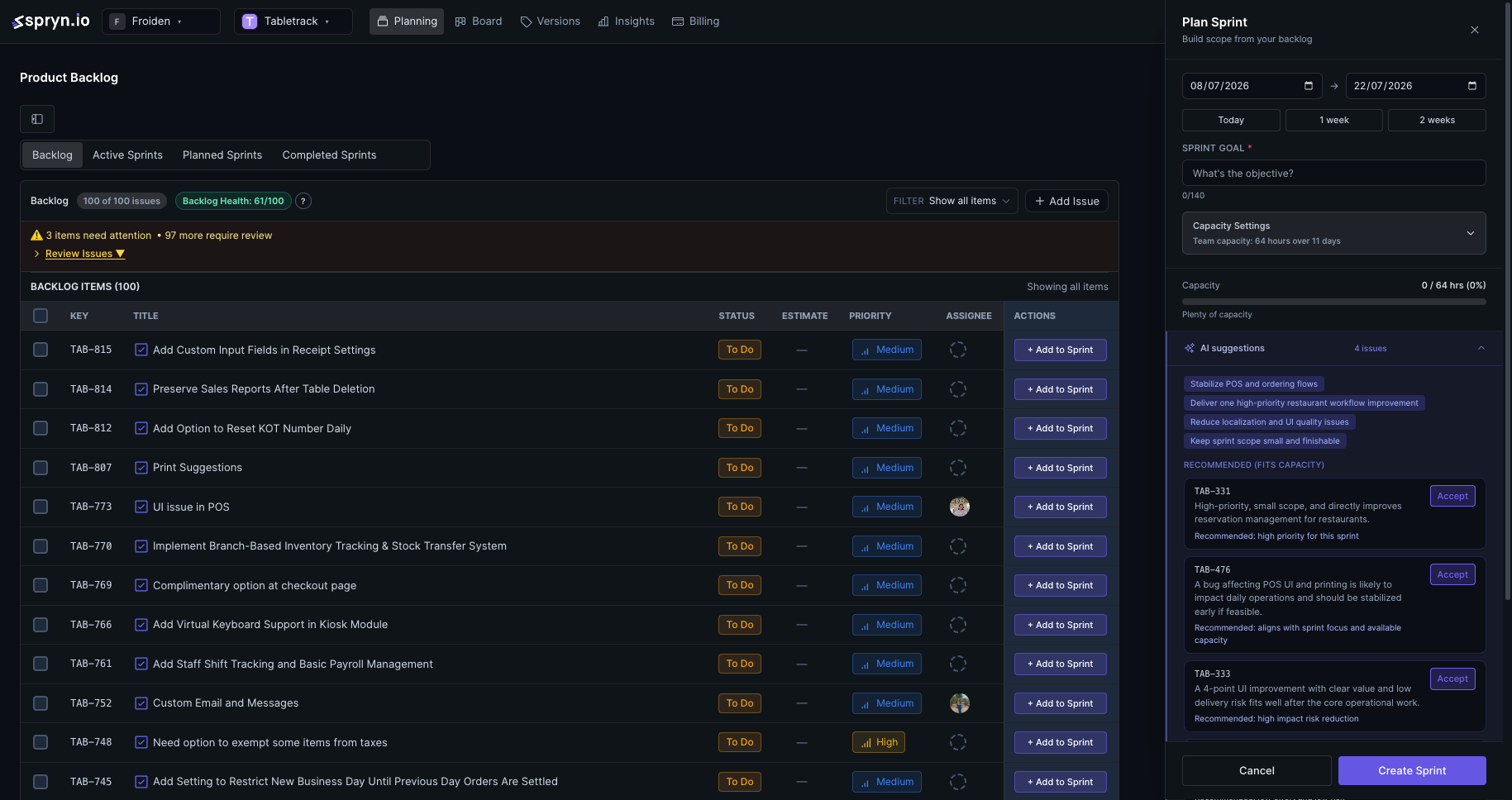
Spryn suggests a first sprint draft from your backlog and capacity. You drag, swap, and trim until only work that serves the intent remains — then lock it.
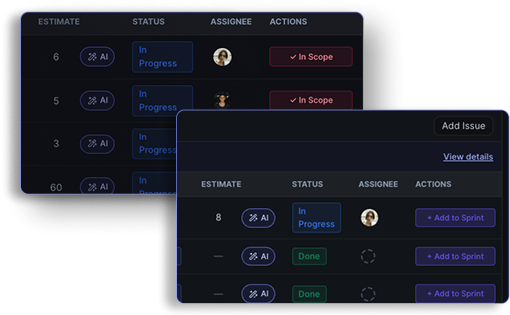
Lock the sprint when it feels tight and realistic, not aspirational. Capacity and scope stay in view so you can say "yes" and mean it.
See a clean board view of progress without ticket gymnastics. Every update answers one thing: are we on track for this sprint's intent? Open reports when you want deeper trends.
See Spryn in action
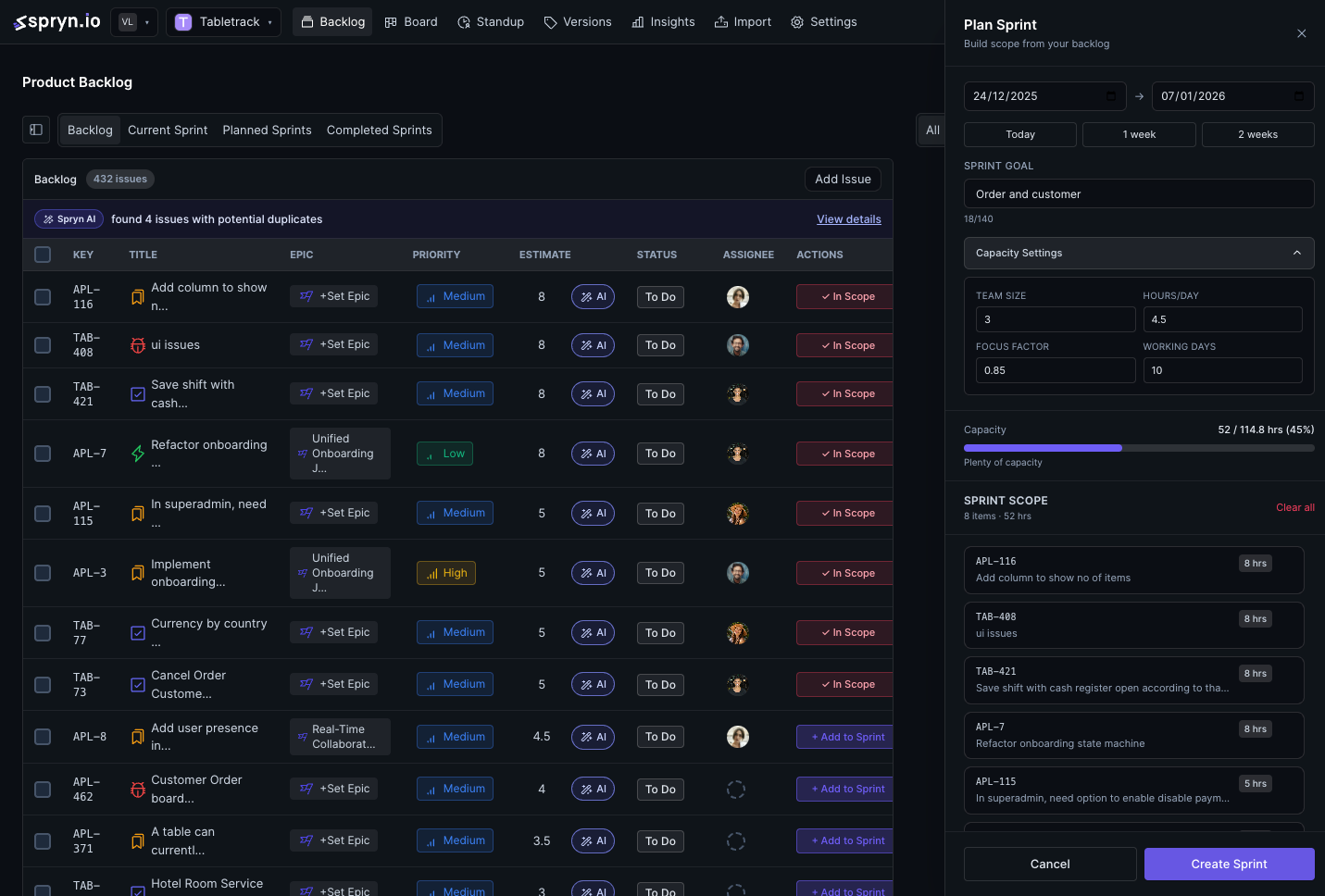
Beyond the board: schedule modules and tasks across week, month, or quarter with team capacity on the same surface.
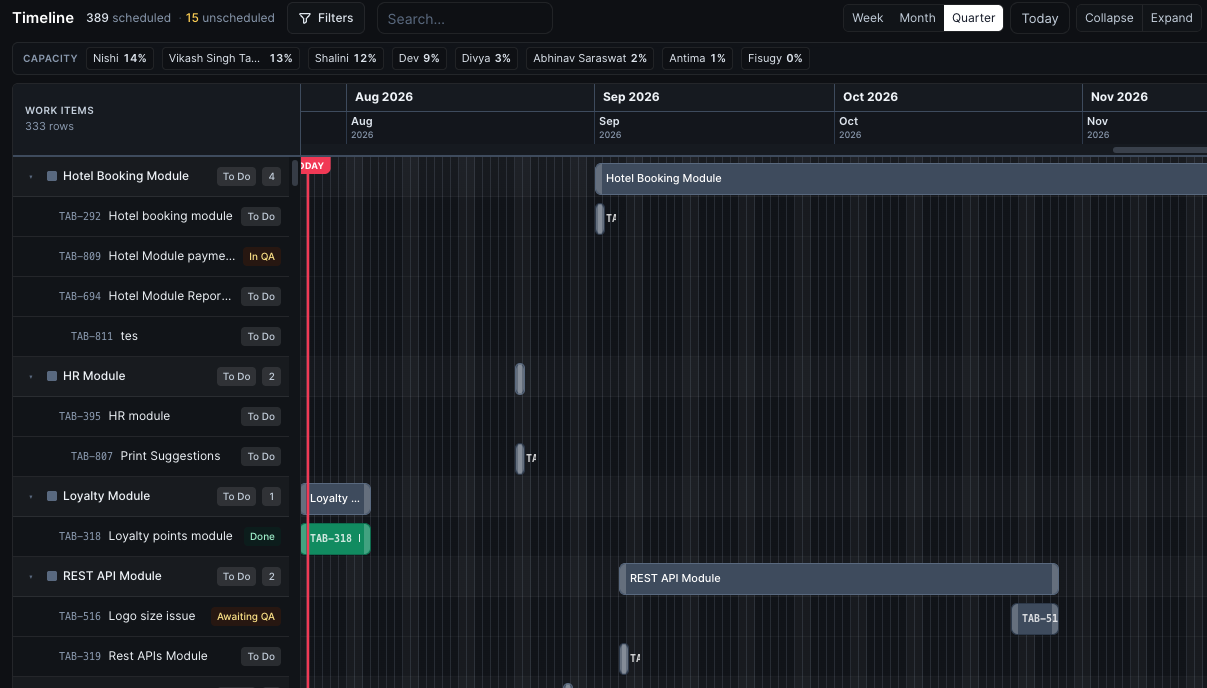
Spryn scans your selected work and flags overlaps before the sprint locks — visible right in the backlog, not discovered mid-sprint.
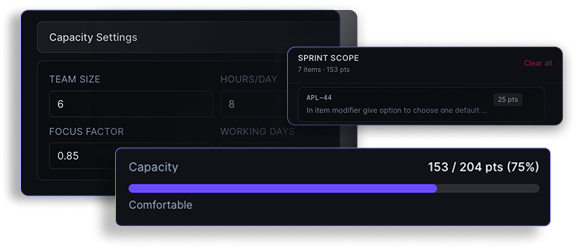
You see exactly how full the sprint is as you build it. No guessing, no post-planning regret.
"Order and customer" — one line that keeps every decision in context throughout the sprint.
How your week changes
Same sprint cadence. Same team. Different prep — and meetings that actually end on time.
Monday planning
With Jira or Linear
Two hours in a room. Filter the backlog, drag tickets into a sprint, debate scope, update fields. Someone still asks: "What are we actually trying to ship?"
With Spryn
Intent in one line. AI draft on screen. Team trims, checks capacity, locks in ~15 minutes. Everyone leaves knowing what "done" means this sprint.
Daily standup
With Jira or Linear
Go around the room — or poll Slack — to learn who's blocked. Twenty minutes of status updates. Blockers surface late.
With Spryn
Open Spryn: movers, blockers, and risks are already summarized. Standup is four minutes of "anything the board missed?" — not a status hunt.
Sprint close
With Jira or Linear
Someone builds a retro deck Thursday night. You debate what shipped vs. what slipped from memory. Carry-over surprises nobody.
With Spryn
Retro opens with what shipped, what slipped, and why — already assembled. The conversation is about next sprint, not reconstructing the last one.
Spryn vs Jira & Linear
Jira and Linear are excellent issue trackers. Spryn replaces the sprint layer — planning, commitment, and "are we on track?" — without you maintaining a general-purpose tool.
Jira / Linear
A general-purpose issue tracker you configure for sprints
Spryn
A sprint-first execution surface — defaults that work, customize when needed
Jira / Linear
You build the sprint manually from a full backlog
Spryn
AI suggests a first draft from backlog + capacity; you edit and lock
Jira / Linear
What is the status of ticket #482?
Spryn
Are we on track for this sprint intent?
Jira / Linear
Status lives in tickets; the meeting surfaces it
Spryn
Summary ready before standup; meeting confirms, not discovers
Jira / Linear
You export data and build the narrative
Spryn
Shipped, slipped, and why assembled at sprint close
Jira / Linear
Fields, views, automations — even when minimal
Spryn
Import backlog, connect git, plan in about 10 minutes
Keep GitHub, GitLab, and Slack.
A typical Monday
It's 9:02 on Monday. Standup starts at 9:15. On most tools, that means opening several boards and pinging people on Slack just to know who's blocked.
On Spryn, sprint intent sits at the top of the workspace: what's in progress, what's blocked and why, whether capacity is still green. The standup starts on the one blocker the board didn't already explain.
The tool does the prep. The team shows up and ships.
The aha isn't "less process." It's realizing you've been paying a tax every sprint:
Spryn is designed so that moment happens in your first week — not after a quarter of configuring it right.
AI that earns its place
Spryn's AI doesn't add process — it removes prep across issues, sprints, and standups. Works with OpenAI, Anthropic, and Google Gemini.
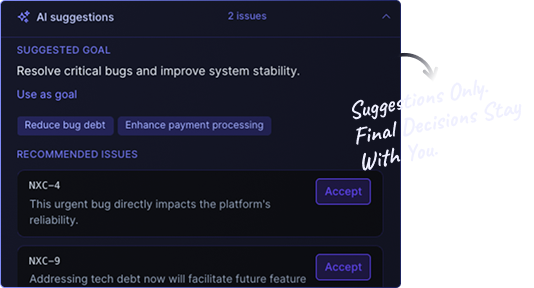
Spryn suggests a sprint from your backlog and team capacity. Edit, swap, or ignore — then lock. No blank board, no two-hour planning session.
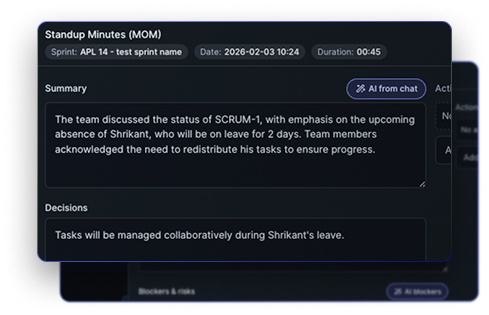
A live summary of who's moving, who's blocked, and what's at risk — ready before the meeting. Standup confirms, it doesn't discover.
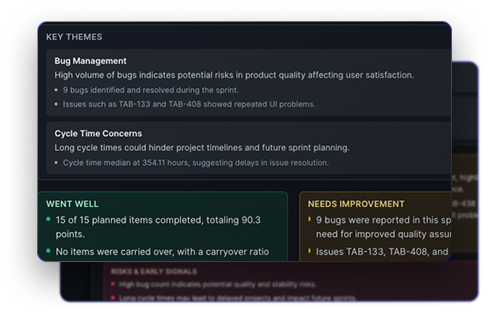
At sprint close, what shipped, what slipped, and why — without anyone building a slide deck the night before.
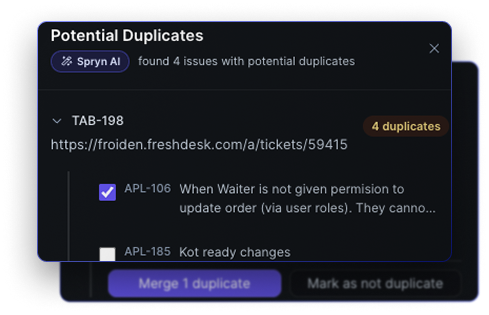
Vector similarity flags duplicates or overlaps before you commit — so you're not untangling tickets mid-sprint.
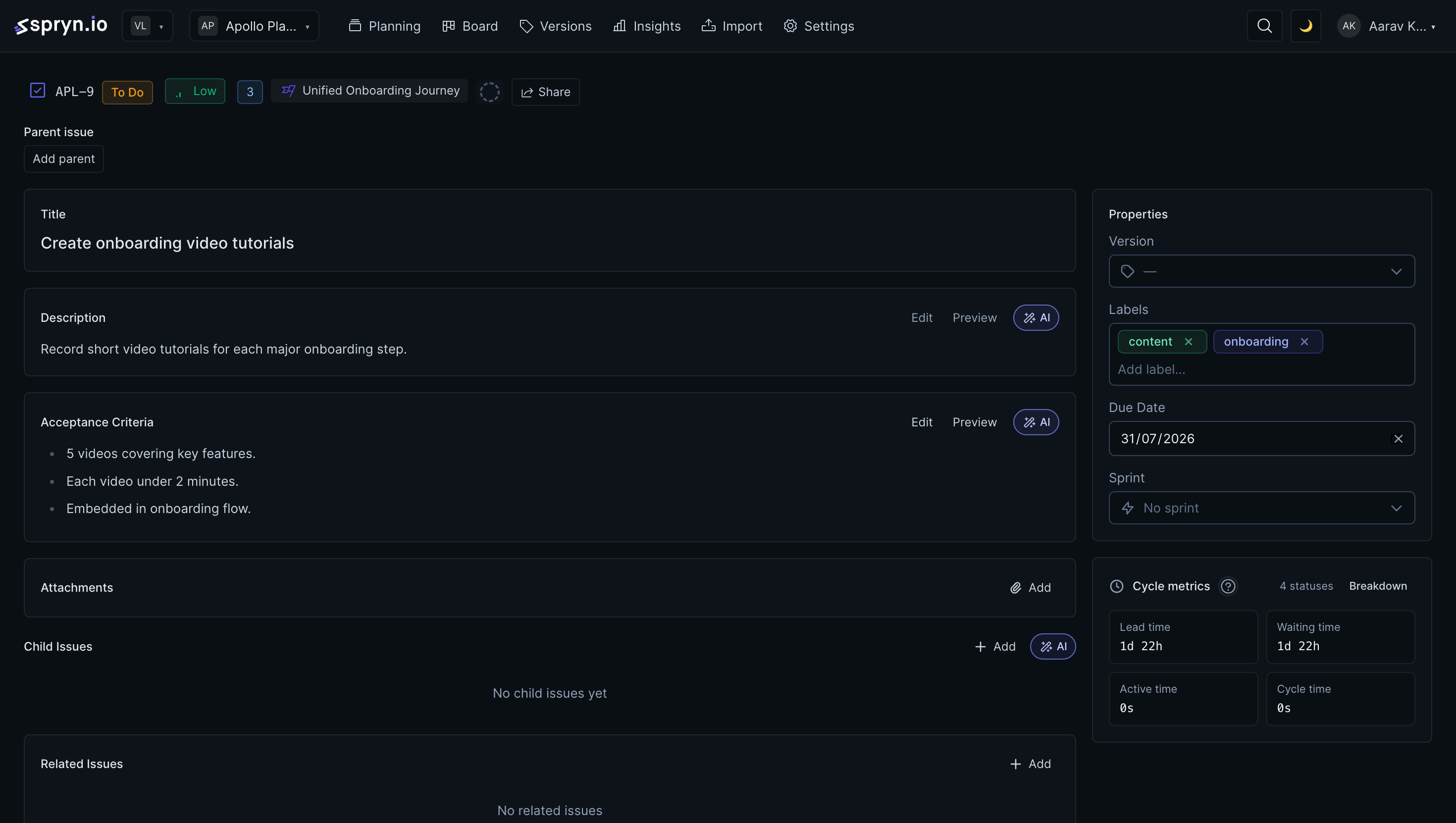
Story points, clearer descriptions, acceptance criteria, and subtask suggestions — right on the issue.
Sprint forecasts plus recovery plans you can preview, apply, notify on, or undo. Daily backlog recommendations keep the next pull honest.
Standups
Daily standup sessions with chat keep the team aligned. AI writes the summary, identifies blockers, and extracts action items before anyone joins the call.
Run standup as a first-class session — not a Slack thread you reconstruct later.
Capture updates in context. The board and the conversation stay connected.
AI extracts action items and blockers so follow-ups don’t vanish after the meeting.
Who it's for
Great fit if…
Not built for…
Integrations & imports
Import your existing backlog from Jira, Asana, ClickUp, or Linear in minutes. Stay connected with GitHub, GitLab, and Slack.
 GitHub
Repos, issues & PRs
GitHub
Repos, issues & PRs
 GitLab
Projects, issues & MRs
GitLab
Projects, issues & MRs
 Slack
OAuth + per-project notifications
Slack
OAuth + per-project notifications
 Jira
Connect & import (OAuth / token)
Jira
Connect & import (OAuth / token)
 Asana
Connect & import (PAT)
Asana
Connect & import (PAT)
 ClickUp
Connect & import (OAuth)
ClickUp
Connect & import (OAuth)
 Linear
Connect & import (OAuth)
Linear
Connect & import (OAuth)
FAQ
Jira and Linear are built to track every issue across your organization. Spryn is built only for the sprint: intent, commitment, progress, and close. You can strip Linear down, but you're still maintaining a general-purpose tool. Spryn gives you a sprint draft from day one, standup summaries before the meeting, and retros without slide prep — with about 10 minutes of setup. Many teams keep GitHub or GitLab for code and replace only the sprint planning layer.
No. Spryn is built to work with how you already run sprints. The tool adapts to your workflow, not the other way around. If you're doing two-week sprints, planning on Mondays, or using story points — keep doing that. Spryn just makes the planning part faster and clearer.
Works for teams of any size, but it really shines for teams between 3–15 people. Two-person teams might find it overkill. Larger teams can use it, but you'll get the most value when everyone can participate in sprint planning without it becoming a meeting marathon.
Spryn makes decisions about what matters for sprint planning and sticks to them. You won't find 50 ways to configure sprint length or endless customization options. But you control your sprint goals, priorities, and what gets built. The opinionation is in the tooling, not your process.
It helps you write sprint goals faster and suggests what should go in a sprint based on your backlog. It's not generating code or making decisions for you — it's cutting down the time you spend writing and organizing. A planning assistant, not a replacement for your judgment.
About 10 minutes. Connect your tools (GitHub, GitLab, Jira, Slack), import your backlog, and you're planning your first sprint. No configuration wizards or week-long onboarding.
If you're using Jira for sprint planning, yes — Spryn replaces it. For GitLab, GitHub, and Slack, Spryn integrates with what you already have. You're not migrating everything, just replacing the planning layer with something that actually works for small teams.
Yes. You can start for free — no credit card required. Run your first sprint, connect your tools, and see how planning feels before you pay anything. Paid plans unlock the full feature set when you're ready.
Cloud pricing
Free to start
Free for teams up to 3. $6/user/month when you grow.
See full pricing details →$99 one-time self-hosted · Or free on Cloud for teams up to 3
Buy Spryn