Self-hosted · one-time license
Plan against real capacity, commit to an amount the team can finish, and watch sprint health while there is still time to react. Runs on your own server — installed in about 10 minutes, one-time license, unlimited seats.
Prefer cloud? Try Spryn SaaS →
$99 one-time · Unlimited seats · Setup in 10 minutes
What you get
Team load sits beside the plan as you build it, so the overload is obvious before anyone commits to it.
One ordered backlog per workspace, groomed and estimated — the input to planning, not a graveyard.
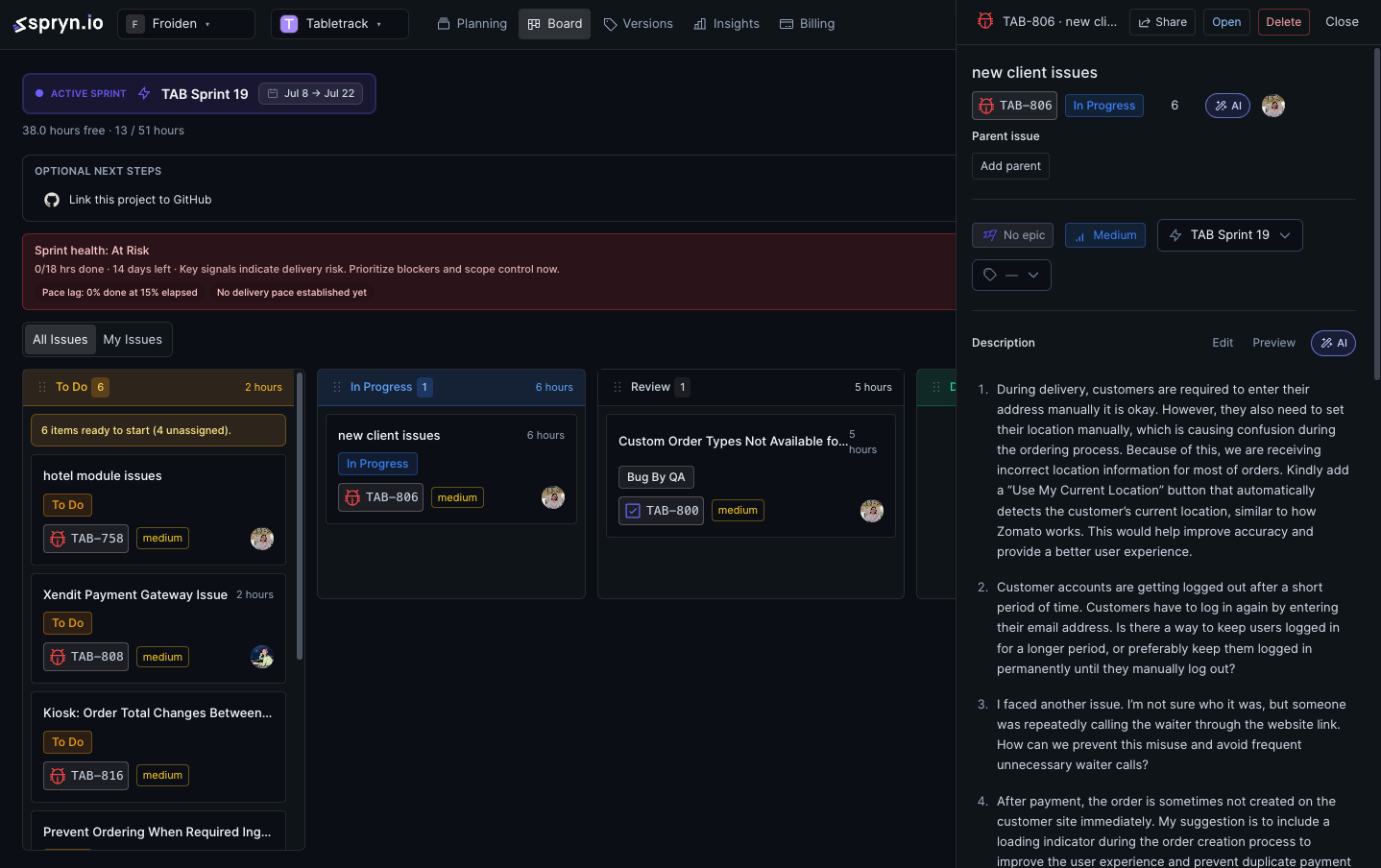
Blockers and slipping work surfaced on the execution board while there is still sprint left to react in.
Schedule modules and tasks across week, month or quarter with the same load numbers on screen.
Optional. Bring your own key for draft plans and retro prompts, or leave it off and run fully air-gapped.
Pay once, add teammates without invoice creep. Sprint data stays on your server and your backups.
AI is optional and BYOK — connect your own OpenAI, Anthropic or Google Gemini key, or leave it off entirely. When enabled, Spryn drafts the sprint plan and suggests what is ready to pull in next based on velocity and remaining capacity.
Ready for next sprint — AI suggestion based on velocity and capacity.
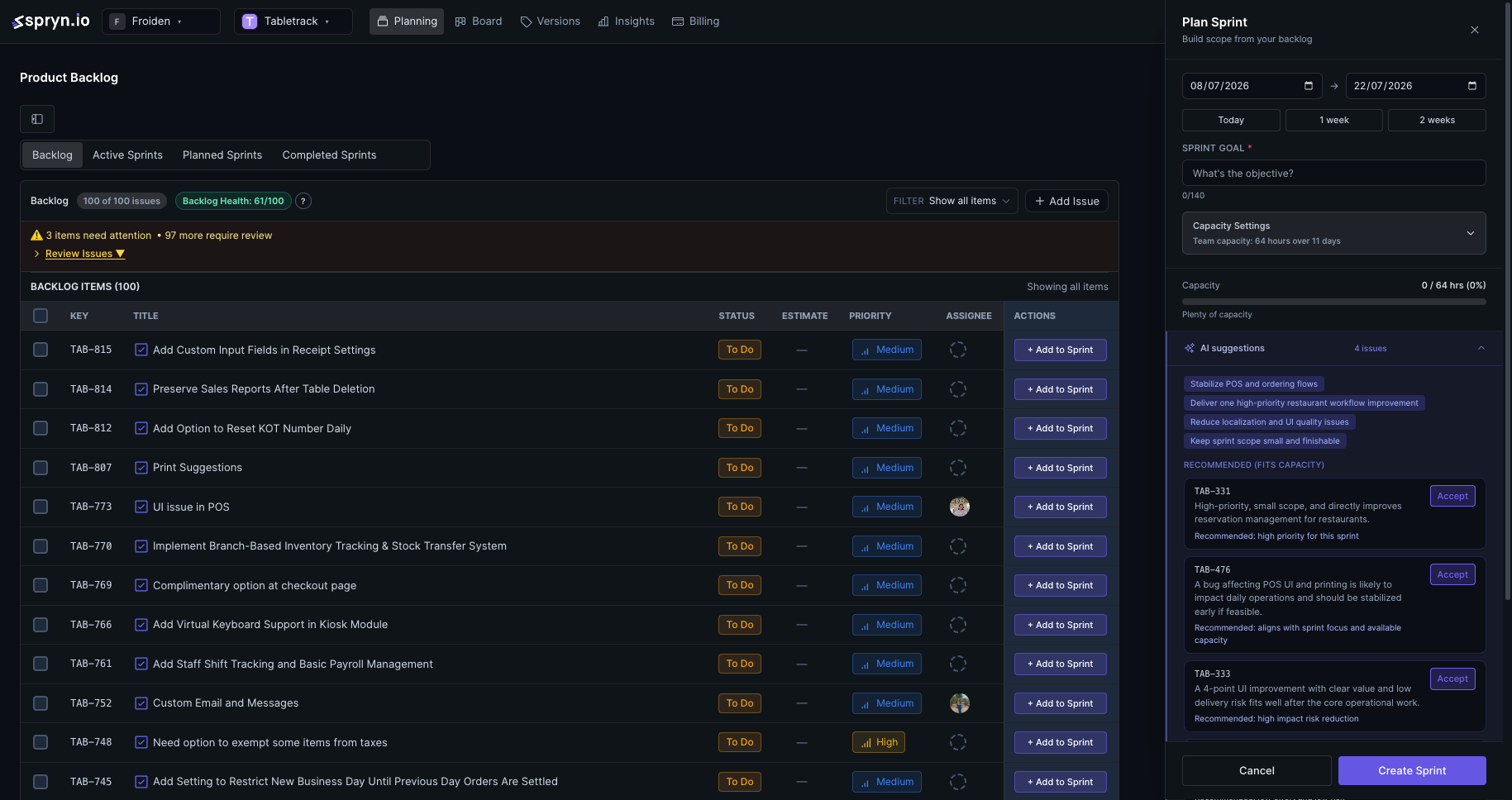
Ready for next sprint — AI suggestion based on velocity and capacity.
From a running instance
Timeline — schedule and capacity across week, month, or quarter.
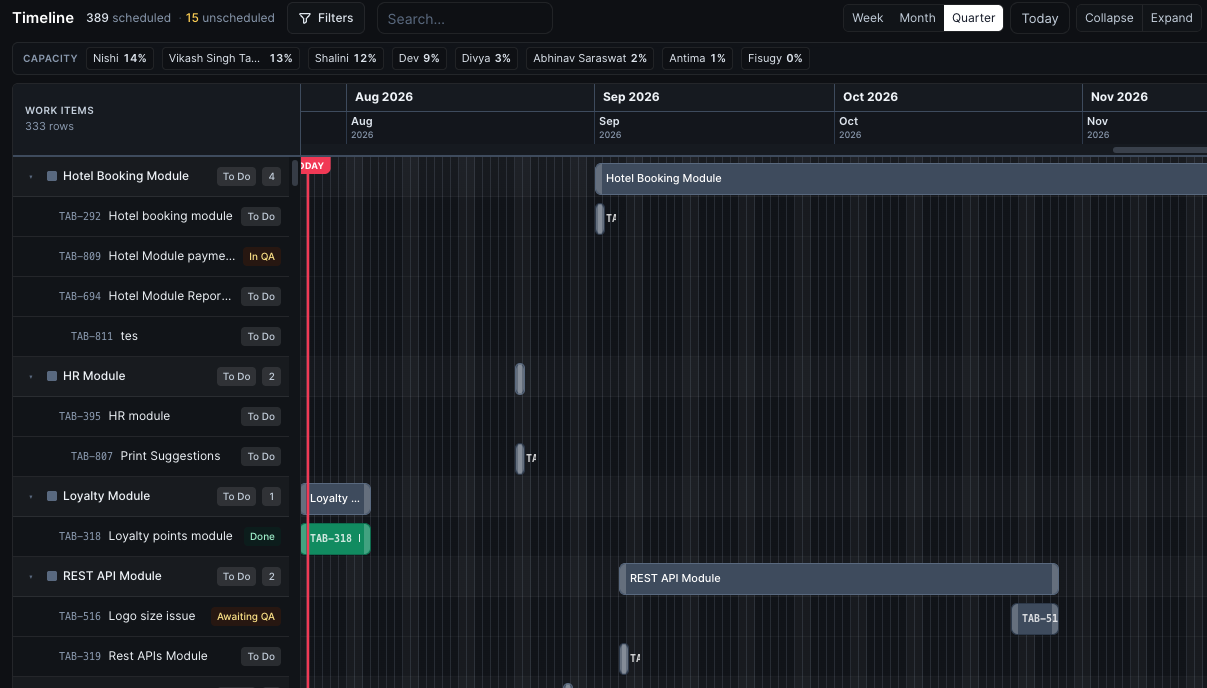
Timeline — schedule and capacity across week, month, or quarter.
Issue detail — AI assists on descriptions, acceptance criteria, and child issues.
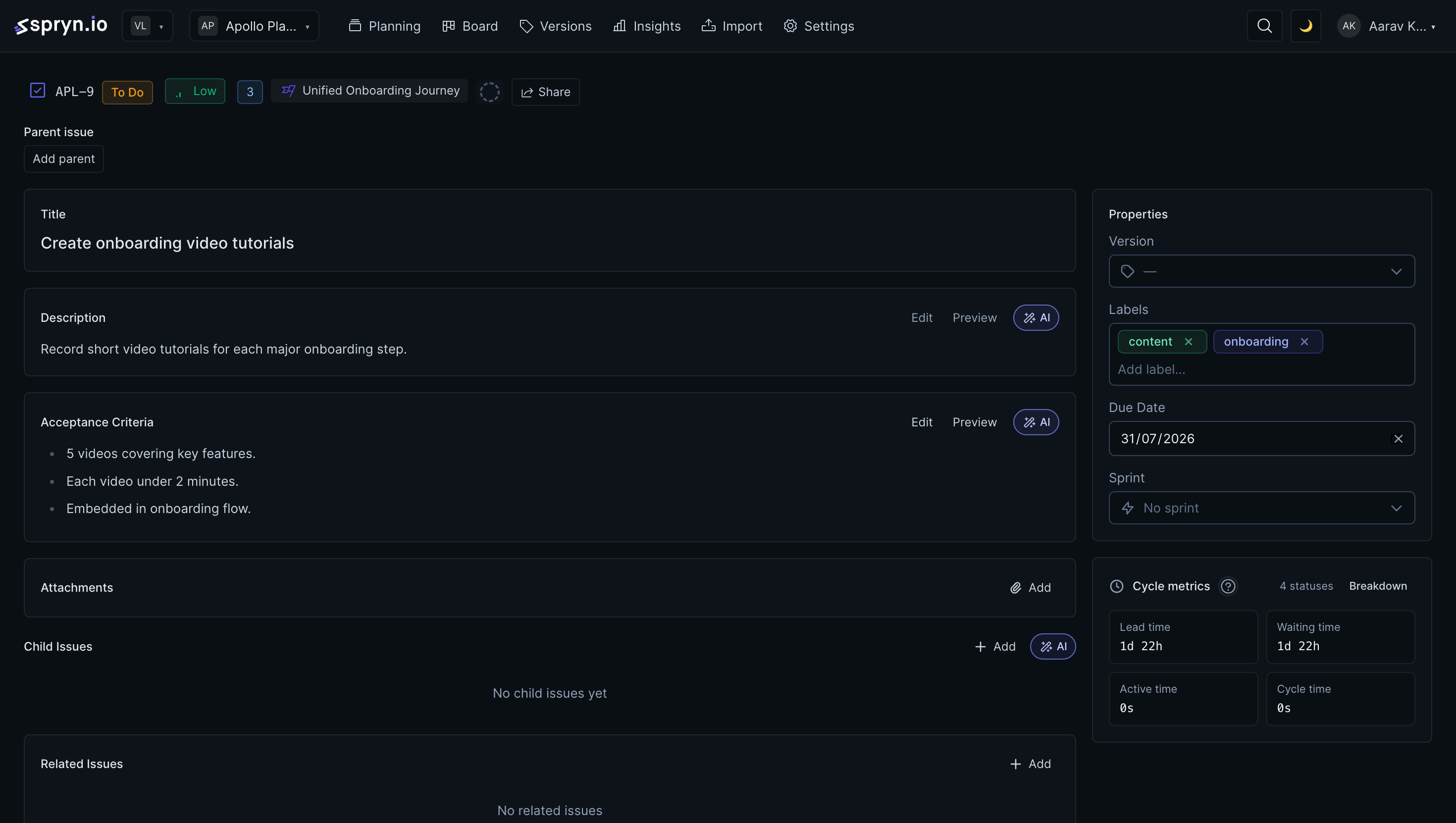
Issue detail — AI assists on descriptions, acceptance criteria, and child issues.
Self-hosted pricing
$99
One-time license. Unlimited seats. Your server.
Buy SprynSee full self-hosted pricing details →
Prefer monthly and managed? See cloud pricing →
What it takes to run Spryn:
Prefer we handle it? Add installation (+$30) or server setup (+$20) at checkout.
Coming from somewhere else
The Jira importer is native, OAuth-based and built in — connect the account, pick a project, preview, import. If you are still comparing tools, the feature-by-feature breakdowns are below.
Preview & import your Jira backlog → Spryn vs Jira → Spryn vs Linear → All comparisons →
FAQ
It should make the four moments of a sprint cheap: deciding what goes in, committing to an amount the team can actually finish, seeing risk mid-sprint while there is still time to react, and closing with numbers you can reuse next time. Spryn builds each of those as a first-class surface rather than something you assemble out of custom fields.
Capacity sits next to the plan while you are building it, so over-commitment is visible during planning rather than discovered on day eight. The timeline view shows the same team load across a week, month or quarter.
No. Sprint length, estimation scale, story points or hours, and when you hold planning are all yours. Spryn is opinionated about the tooling, not about your ceremony schedule.
It fits best at roughly 3 to 25 people. Two-person teams usually do not need it. Because the self-hosted licence is one-time with unlimited seats, a growing team does not turn into a growing invoice.
Yes. The installer runs in your browser on your own server — 2 CPU cores, 4GB RAM, 20GB storage. No Docker or Kubernetes required. About 10 minutes from start to running your first sprint.
Yes. The Jira importer is native and OAuth-based, with a preview step before anything is written. Connect the account, pick a project, review, import.
It stays on your server, under your backup and retention policy. Export to CSV at any time — no lock-in and no approval process.
Need the wider delivery loop — backlog, roadmap and reporting, not just the planning ceremony? Read agile project management software. The complete capability catalog is on the feature list, and the self-hosted overview covers install and licensing. For why the license itself works this way, see project management software with no monthly fee. If sprints keep slipping, see why your team keeps missing sprint commitments, and if planning itself runs long, see why sprint planning meetings are a symptom, not a solution. A cluttered backlog makes planning harder before it even starts — see why backlog clutter is a decision problem, not a volume problem.