Capabilities
Intent, capacity, and ownership stay visible on the board. Everything below is available when you need it — not required before your first sprint.
01
Define what the sprint is for before pulling work in.
02
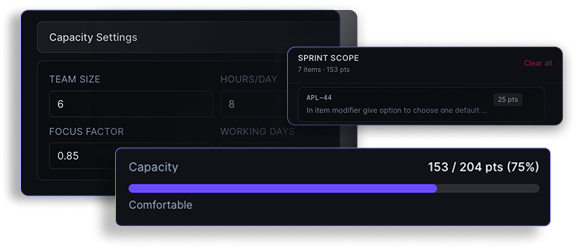
See scope vs capacity before you commit.
03
Progress lives on the board. Reports when you want depth.
04
Ship day one. Customize only when you need to.
Organize teams with clear boundaries — switch context without losing place.
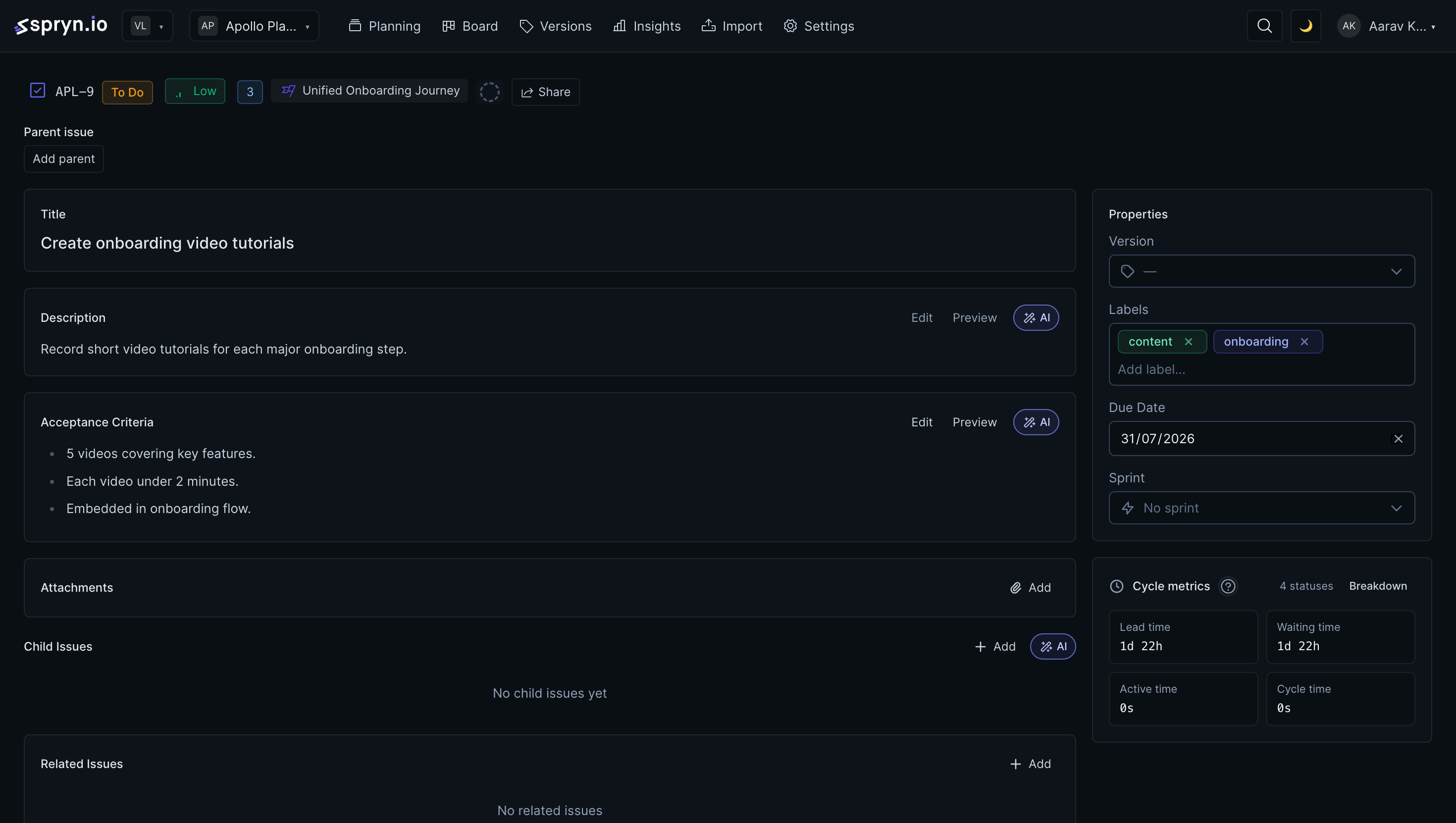
Full issue model when you need depth — scoped views when you need focus.
Types & metadata
Custom fields
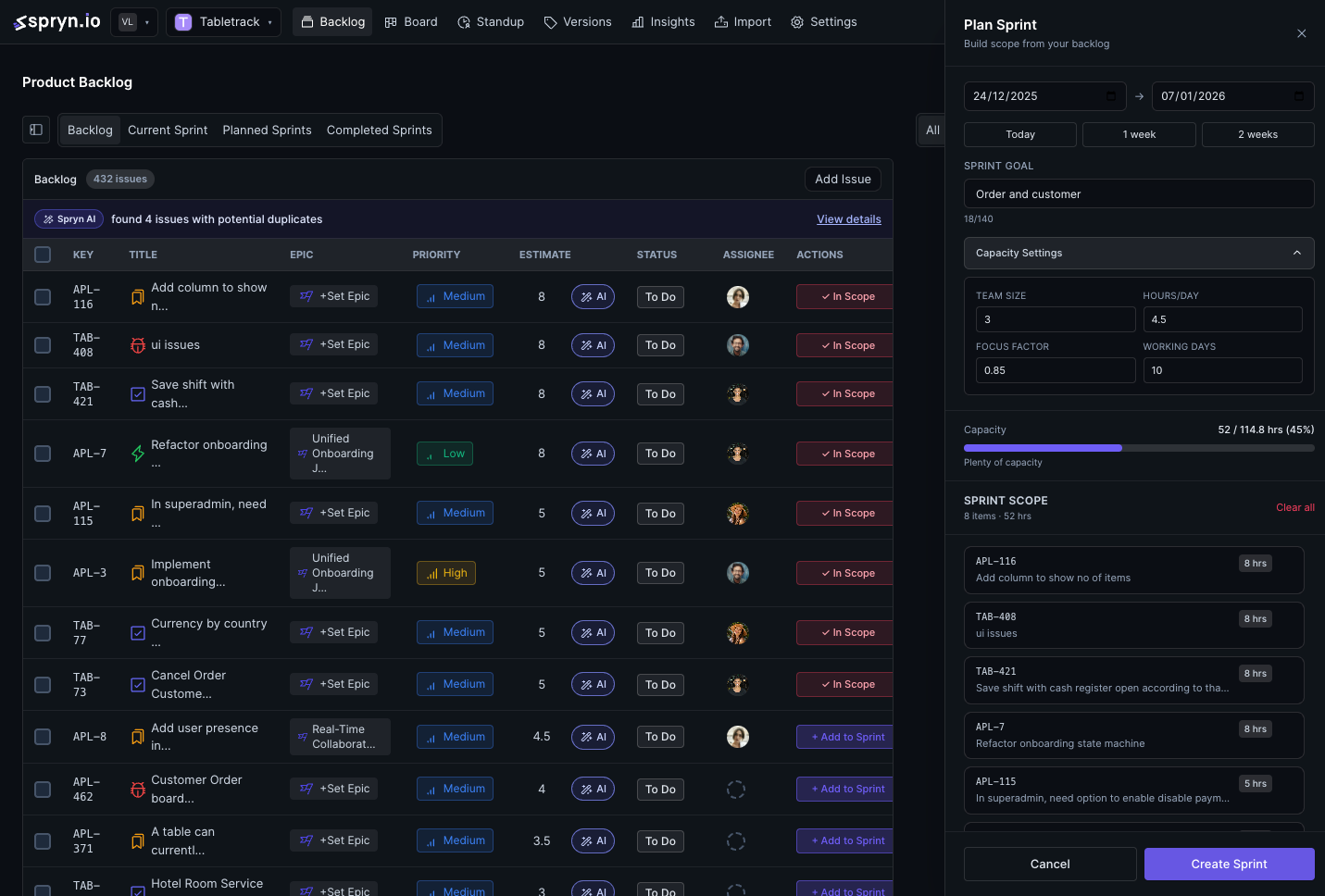
From planned to closed — capacity-aware, with AI that removes prep.
Column-based execution for sprints or continuous flow.
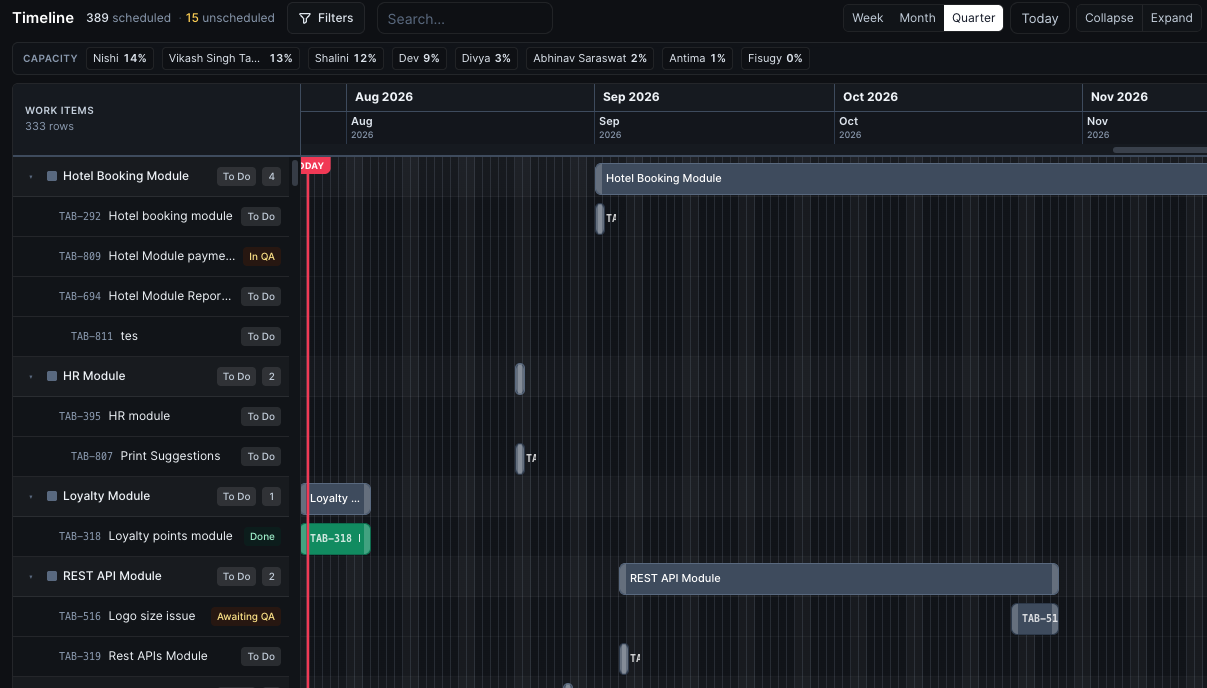
Schedule work across weeks, months, or quarters — with capacity visible on the same surface.
Plan releases alongside sprint execution. Manage versions and tie issues to the release they ship in.
Confirm status — don't reconstruct it.
Board first. Open reports when you want depth.
Filter by sprint, velocity window, timeframe, and issue type.
Removes prep. You keep the judgment.
Issues
Sprints
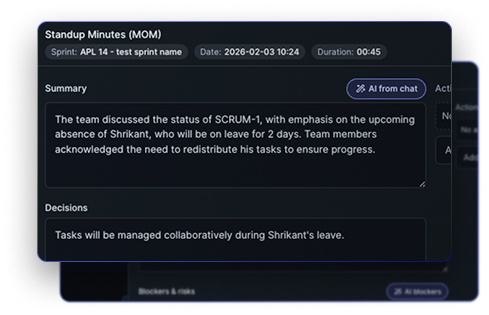
Standups
Duplicates via vector similarity (Qdrant). Global and per-workspace AI controls & usage limits.
Keep git and chat. Replace only the sprint layer.
 GitHub
Repos, issues, PRs
GitHub
Repos, issues, PRs
 GitLab
Projects, issues, MRs
GitLab
Projects, issues, MRs
 Slack
OAuth + per-project alerts
Slack
OAuth + per-project alerts
 Jira
Connect & import
Jira
Connect & import
 Asana
Connect & import (PAT)
Asana
Connect & import (PAT)
 ClickUp
Connect & import
ClickUp
Connect & import
 Linear
Connect & import
Linear
Connect & import
FAQ
No. Workspaces, issues, sprints, and the board are ready to use with sensible defaults from day one. Timeline, AI, standups, custom fields, and integrations are there when you need them — nothing on this page is required before your first sprint.
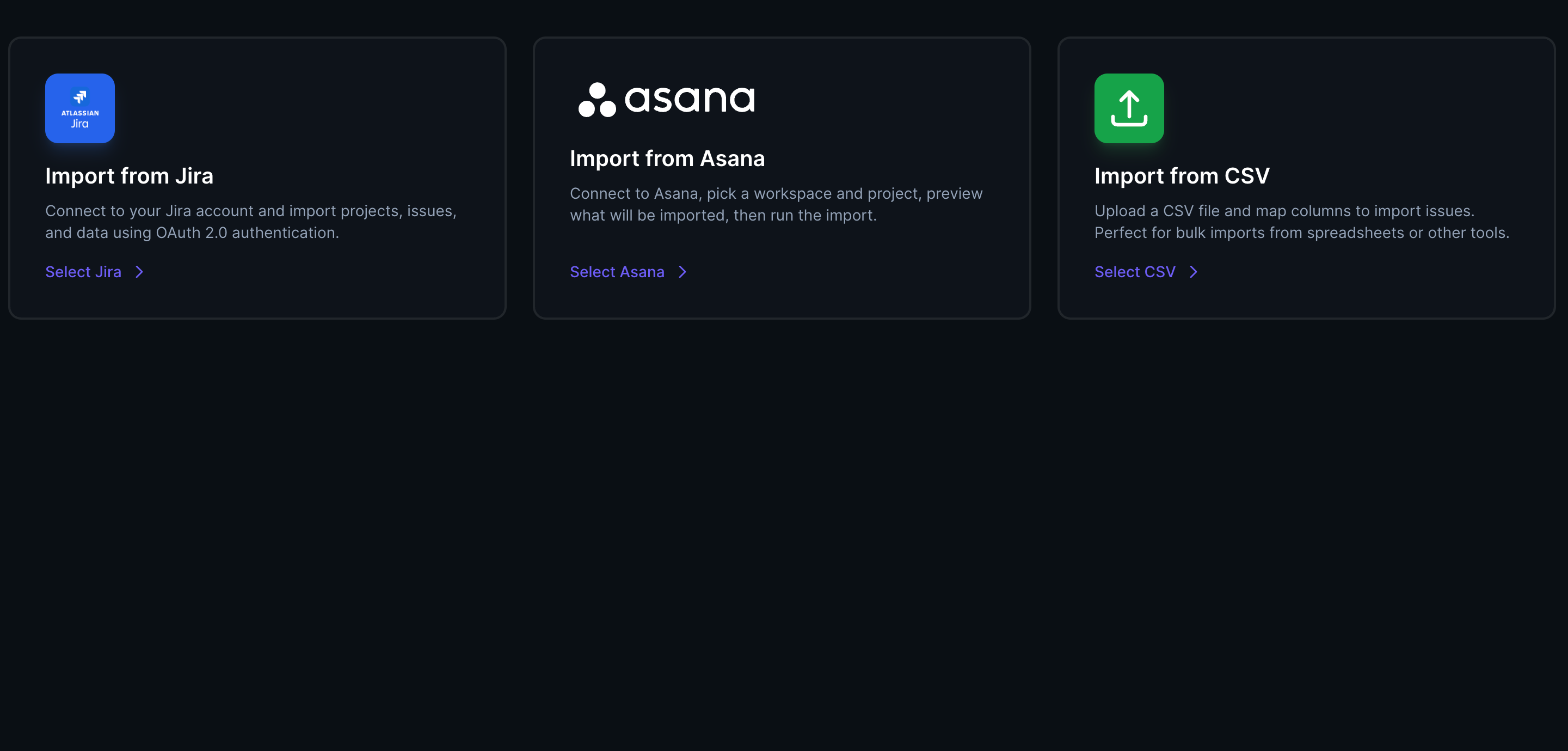
Spryn has a preview-then-import flow for Jira (OAuth or API token), Asana (personal access token), ClickUp (OAuth), and Linear (OAuth), plus CSV import for anything else. You see what will be imported before anything is created.
Yes. Each project can run Scrum with sprints and story points, or Kanban with WIP limits and continuous flow — story points, hours, or t-shirt sizing are all supported estimation formats.
AI is off by default with zero outbound calls until you add your own OpenAI, Anthropic, or Google Gemini API key. Once enabled, it drafts sprint plans, recovery plans, standup summaries, and retrospectives — a person always applies or dismisses the draft.
Yes. The self-hosted admin panel covers branding, SMTP with a test-email check, local or cloud storage, and auth, AI, and notification settings — configured from the app, not by editing config files.
See self-hosted and Cloud pricing →
Comparing this feature set against a specific tool? See Spryn vs Jira, Linear, Plane, or OpenProject, or browse the full comparison hub. Focused specifically on the planning ceremony? See sprint planning software.
Free to start. Running in about 10 minutes.